Odoo Attendances, built around how your people actually clock in.
From 1 January 2027 every Belgian employer records working hours digitally. Many companies are now shopping for a time clock. You do not have to. Odoo Attendances lets your people clock in with a badge, a tablet kiosk, the app or the browser. We set it up on your work schedules and connect the hours to payroll.
Gold
Odoo partner.
280+
Odoo experts.
900+
customer references.
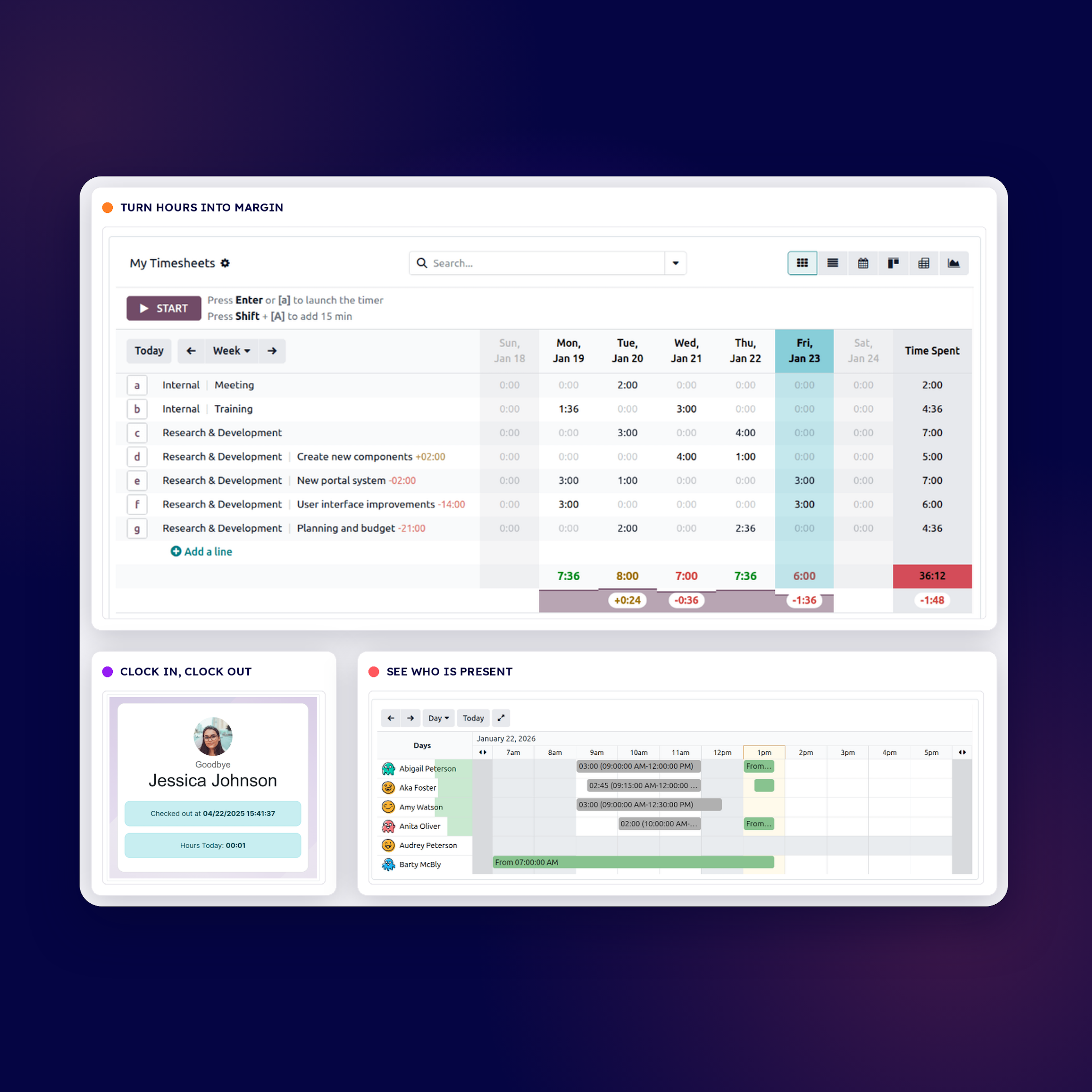
One time clock, three ways to clock in.
At the door, a tablet or PC runs as a kiosk. Employees scan a badge or an RFID fob, or enter a PIN. On the road, the mobile app records a timestamp, with the location if you switch it on. At a desk, they clock in from the browser.
Every entry lands in one record, with an audit trail and an export ready for the labour inspection.
Clocking in for everyone, not only Odoo users.
From Odoo 20, employees who only need to clock in can work as a light user, with access to Attendances only.
Odoo 20 also adds a direct integration with Partena, so recorded hours reach payroll without a manual export.
We fit Odoo Attendances to how your teams work, not the other way around.
Many of our customers already have Odoo Attendances. Switching it on is often enough. It is not a new project.
Where work schedules are missing, we set them up first, so overtime and absences add up. The export to your social secretariat always gets a separate look: Odoo has no standard export for every secretariat, so we check yours.
Everything you need to know about Odoo Attendances.
No. The law requires an objective, reliable and accessible system. Software, apps, kiosk tablets and badge systems all qualify. Paper and Excel are no longer enough.
At a kiosk with a badge, an RFID fob or a PIN code, in the mobile app, or in the browser. The app records a timestamp, and the location if you switch it on.
A dedicated PC, tablet or mobile phone runs the kiosk. Badges are scanned with a barcode scanner or the device camera. RFID fobs need an RFID reader.
From Odoo 20, no. Employees who only clock in can work as a light user, with access to Attendances only.
Yes. Recorded hours flow to payroll, and Odoo 20 adds a direct integration with Partena. For other social secretariats the export needs a separate look: Odoo has no standard export for every secretariat.
Often not. Many companies already have Odoo Attendances and only need to switch it on. Where work schedules are missing, we set those up first.
See what Odoo Attendances could look like for your team.
A first conversation to understand how your people clock in today, and where Odoo Attendances fits.